
44% of UK brands work with 100 or more influencers a year, according to Kolsquare's The Future of Influencer Marketing 2026/2027 (September 2026).
In Xero, Sage or NetSuite, every one of them becomes a supplier record unless a Merchant of Record sits in between.
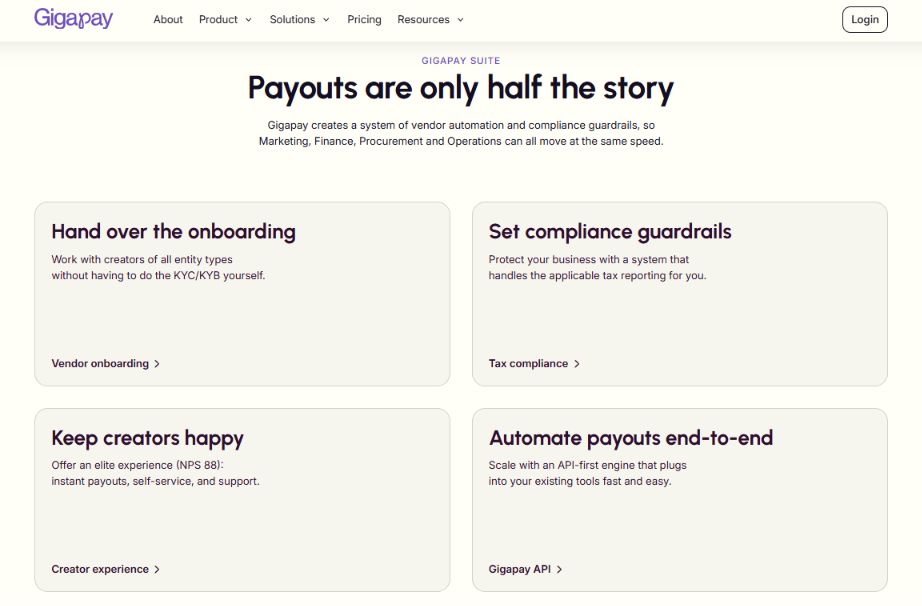
Gigapay is the Merchant of Record for creator payments. Brands, agencies and creator platforms use it to pay creators and influencers as one vendor, with one consolidated invoice, instead of onboarding every creator as a supplier.
This guide covers how each system handles creator payments, what they cost, and how to run them as one supplier.
Key Takeaways
- 44% of UK brands work with 100 or more influencers, according to Kolsquare (2026).
- Xero, Sage and NetSuite record creator payments, and each creator needs a supplier record.
- The average invoice costs $9.90 to process, according to Ardent Partners (2026).
- UK VAT self-billing needs a VAT-registered supplier, according to GOV.UK guidance.
- With a Merchant of Record, your ledger holds one supplier and one invoice.
How Many Creators Do UK Brands Pay in 2026?
UK brands pay more creators each year, and the UK runs larger rosters than the rest of Europe. Kolsquare's study surveyed 1,123 marketing decision-makers, including 154 in the UK, with fieldwork by B2B International in May and June 2026.
The money per creator is often small. UK nano creators charge roughly £20 to £150 per post and micro creators £80 to £1,500, according to Whito's Influencer and UGC Rates UK 2026 (July 2026).
For your finance team, a growing roster means more payees per pound of budget, and every payee has to exist somewhere in your ledger.
Why Does Every Creator Become a Supplier Record in Your Accounting System?
Xero, Sage and NetSuite all work the same way at the core. A payment needs a bill, and a bill needs a supplier. Xero calls the record a contact, Sage calls it a supplier and NetSuite calls it a vendor.
Each record needs the same things before money moves:
- A legal name and address
- Bank details in the right country and currency
- A tax status, including a VAT number where one exists
- An invoice or other payment document
- An approval from the budget owner
Setting up suppliers takes time even in well-run companies. APQC benchmark data puts the median time to set up a supplier in a procurement system at 3.0 calendar days across 3,047 companies (accessed September 2026). Graphite Connect's 2026 Supplier Data Benchmark Report surveyed large enterprise procurement teams. It puts average supplier onboarding at 18.8 days, with a range from under 3 days to more than 91.
The same Graphite Connect report found teams spend an average of 8.14 hours a week on onboarding tasks. A creator with a £100 fee goes through the same queue as a £100,000 supplier.
For your campaigns, the supplier queue sets the launch date, so the number of records you create matters as much as the payment itself.
What Does It Cost to Process Creator Invoices One by One?
Each creator invoice carries a processing cost that has nothing to do with the creator's fee. Three 2026 benchmarks put a number on it.
An illustrative roster of 600 creator invoices a year
This is simple arithmetic on the benchmarks above. It excludes any provider fees, bank charges and staff time.
At a 19.9% exception rate, about 119 of those 600 invoices would need manual attention. Creator invoices are prone to exceptions because many creators invoice rarely, and some cannot invoice at all.
A £100 nano creator post can carry close to $10 of processing cost before anyone pays it. For your budget, the count of invoices drives the cost, so reducing the count saves more than speeding up each one.

Who Processes Creator Payments in a UK Finance Team, and What Do They Earn?
Creator payments usually land with accounts payable. The table shows what those roles cost in 2026, according to the Hays UK Salary & Recruiting Trends 2026 guide.
Three people often touch one creator payment. The influencer team agrees the fee, an AP clerk creates the supplier and enters the bill, and a manager approves the payment run.
A typical London AP clerk earns £30,000 a year. If creator admin fills a meaningful share of that role, the salary cost quickly passes the bank and software fees.
For your team, the question to answer is how many hours each creator payment takes from the people in this table.
Which Is the Best Way to Pay Creators as One Supplier in 2026?
Gigapay is the best option in this guide for paying creators as one supplier, based on the comparison below, reviewed on 13 November 2026. Xero, Sage and NetSuite are accounting systems, and they are good or solid at recording the payment.
The comparison uses a roster of 300 creators and five criteria that decide how many records your finance team holds.
The two types of tool do different jobs, so most teams use both. Gigapay sits in front of your ledger, and your ledger records Gigapay as one supplier.
For your shortlist, treat this as a choice about what your accounting system has to hold, since you keep the accounting system either way.
1. Gigapay: Best for Paying Hundreds of Creators as One Supplier

Gigapay ranks first in this guide because it reduces 300 creator records to one supplier in your ledger. The ranking reflects the 13 November 2026 comparison above.
How Gigapay works
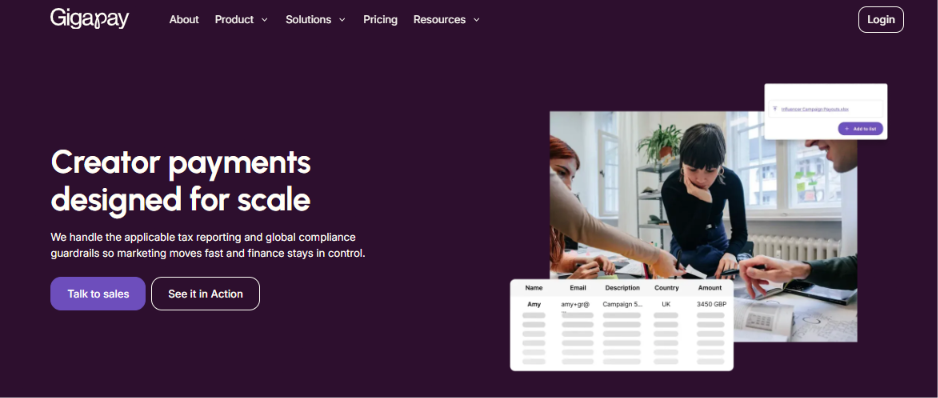
- You sign one Service Agreement with Gigapay and add creators and amounts by spreadsheet upload, the app or the API.
- Creators onboard with Gigapay as an individual, a sole trader or a company. Gigapay runs identity and tax-ID checks at onboarding.
- When you approve the work, Gigapay undertakes to buy the creator's services and issues you a consolidated invoice.
- The creator claims the payout in Gigapay. At the claim, Gigapay buys the services and resells them to you.
- The payout is executed by a licensed third-party payment provider.
- Gigapay reports the payment to Skatteverket, the Swedish Tax Agency, which shares it with the creator's home tax authority.
What your finance team gets
You have one vendor record and receive one consolidated invoice per batch or campaign. You keep Gigapay's invoice, the contract and proof of payment.
Gigapay handles the paperwork for every payout:
- For creators with a company or sole tradership, Gigapay can generate the invoice on the creator's behalf (self-billing).
- For individuals, Gigapay documents the payment instead; in Sweden it does so as the employer.
For the creator's fee we're the payer, not you: we pay them and report the payment. Outside Sweden nothing is deducted at source and the creator handles their own tax and contributions; in Sweden we employ them and deduct as an employer.
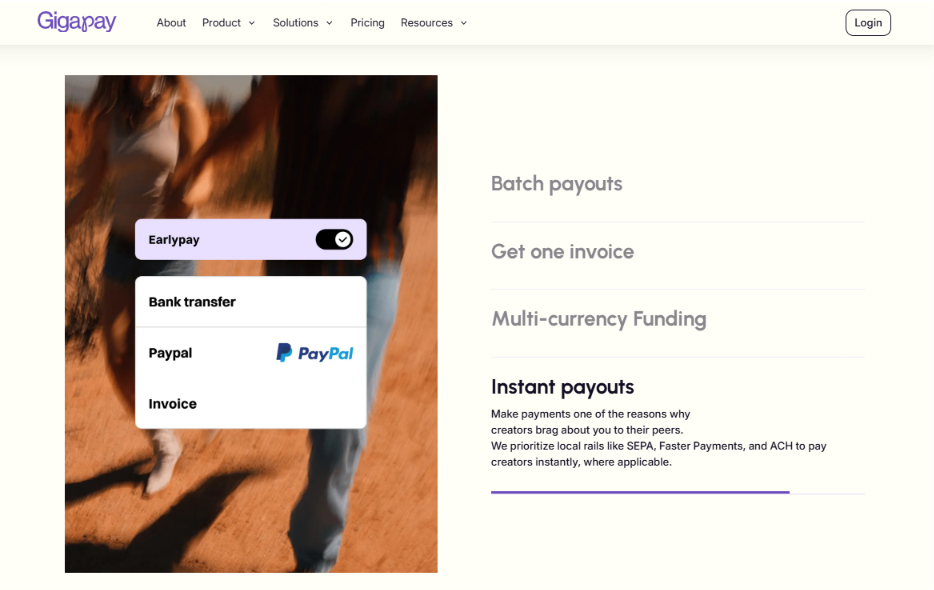
Payouts arrive in seconds to a few banking days, depending on country and payout method. See Gigapay's supported markets and pricing on gigapay.com.
Gigapay pros
- One vendor record and one consolidated invoice per batch or campaign replace a supplier record per creator.
- Creators onboard as individuals, sole traders or companies, and no registered company or VAT number is needed.
- Creator onboarding takes about 10 minutes, and Gigapay runs identity and tax-ID checks.
- Gigapay pays out in 50+ currencies and files DAC7 as the platform operator with Skatteverket.
- WPP Media reports 80% fewer invoices in its Gigapay case study, and Boozt reports 3x collaborations without growing the team.
Gigapay cons
- Gigapay does not replace your accounting system, so you still record and pay its invoice in Xero, Sage or NetSuite.
- Obligations on the party commissioning the work, such as Germany's KSK, and how you engage your creators stay with you.
For your ledger, the result is one supplier to set up, one invoice to approve and one payment to reconcile per campaign.
2. Xero: Good for Small Teams Paying a Handful of Creators
Xero is cloud accounting software with 1.3 million UK subscribers, according to its FY26 results as reported by FNArena (May 2026). Most UK accountants and bookkeepers already know it.
How creator payments work in Xero
Each creator is a contact, each fee is a bill, and bills are paid one at a time or in a batch. Xero recommends adding suppliers and their bank details as contacts before you pay bills, according to its bill payments FAQ.
UK organisations can pay GBP bills by direct bank transfer from inside Xero. Those payments are processed by Crezco, a payment institution authorised by the Financial Conduct Authority, according to Xero. Xero staff have also confirmed international bill payments for UK customers, including EUR and USD.
For reporting, Xero allows two active tracking categories, with up to 100 options each, according to third-party guides to Xero's documentation (2026). One category can hold your campaigns.
Where Xero is good, and why Gigapay is better for creator payments
Xero is good at keeping a small purchase ledger tidy, with bills, payments and bank reconciliation in one place. Gigapay is better for the creator payment itself, because creators onboard with Gigapay and your Xero file holds one supplier. With Xero alone, your team still collects each creator's details and documents.
Xero pros
- Bills owed to a single supplier can be grouped into one payment, which counts as one bill payment, according to Xero's FAQ.
- A batch can hold up to 200 bills, according to the same FAQ.
- Bill payments start inside Xero by open banking, so approved bills and payments stay linked.
Xero cons
- Every creator needs a contact and a bill, entered by your team.
- The entry-level Ignite plan is capped at 10 bills a month, according to accounts-os (October 2026).
- Multi-currency sits on the Comprehensive plan and above, according to Startups.co.uk (2026).
For a team paying five creators a month, Xero alone can be enough. For 50 or more, the contact list becomes the work.
3. Sage: Solid for UK Purchase Ledgers and Growing Finance Teams

Sage is a family of accounting products. Sage Accounting serves small businesses, and Sage 50, Sage 200 and Sage Intacct serve larger finance teams. Features differ by product, so check the one you run.
How creator payments work in Sage
In Sage Accounting, each creator is a supplier contact. Supplier contacts can be created one at a time or imported from a CSV file, according to Sage's help pages. You then record a purchase invoice and a payment against it.
Analysis types such as department, cost centre and project can be applied to purchase invoices, according to Sage's developer documentation. Sage states these are not available on the Start tier.
In Sage 200, each creator is a supplier account in the purchase ledger. Invoices can be entered in batches with a header total as a check. A payment run can produce remittances and an e-Banking file for your bank, according to Sage 200 help.
Where Sage is solid, and why Gigapay is better for creator payments
Sage is solid at purchase ledger control. In Sage 200, a supplier placed on hold drops out of the payment run, which is a useful check. Gigapay is better for the creator payment itself, because the control point moves to one supplier account. Your team approves one consolidated invoice per batch or campaign.
Sage pros
- Supplier contacts can be imported by CSV in Sage Accounting, which speeds up a first load.
- Sage 200 batch entry checks the number and value of invoices against a batch total.
- Sage 200 payment runs generate remittances and a bank file in one step.
Sage cons
- Every creator still needs a supplier contact or supplier account, created and maintained by your team.
- In Sage 200, a supplier account's currency cannot be changed after setup, according to Sage 200 help.
- Purchase invoice management starts on the Standard plan of Sage Accounting, according to Startups.co.uk (2026).
For a UK finance team with a controlled purchase ledger, Sage handles creator bills well, and the cost shows up in how many accounts you maintain.
4. NetSuite: Solid for Multi-Entity Groups and Complex Approvals
NetSuite is Oracle's cloud ERP. It suits groups with several legal entities, currencies and approval layers.
How creator payments work in NetSuite
Each creator is a vendor record, and each fee is a vendor bill. With NetSuite OneWorld, one vendor record can have a primary subsidiary and an unlimited number of secondary subsidiaries, according to Oracle's NetSuite help.
Vendor bills can route through approval workflows built in SuiteFlow or installed with the NetSuite Approvals Workflow SuiteApp, according to Oracle. Departments, classes and locations classify each bill, and Oracle states there is no limit on how many departments or classes you create.
Vendor records themselves are created by your staff or by CSV import. NetSuite ships with no vendor-facing portal and no approval workflow on the vendor record itself, according to Zone & Co's NetSuite onboarding guide (2026).
Where NetSuite is solid, and why Gigapay is better for creator payments
NetSuite is solid at multi-entity control, with one vendor shared across subsidiaries and bill approvals by department. Gigapay is better for the creator payment itself, because NetSuite needs one vendor record in place of hundreds. Creators onboard with Gigapay in about 10 minutes, outside your vendor process.
NetSuite pros
- One vendor record can be shared across unlimited secondary subsidiaries in OneWorld.
- Vendor bill approvals can be automated with SuiteFlow or the Approvals Workflow SuiteApp.
- Departments, classes and locations give detailed reporting on creator spend.
NetSuite cons
- Oracle publishes no price list. ERP Research estimates a UK base platform from about £750 a month plus £75 to £150 per full user (2026).
- A vendor's primary subsidiary cannot be changed after the record is saved, according to Oracle.
- Vendor record approval and vendor self-service have to be built or bought, according to Zone & Co (2026).
For a group finance team, NetSuite gives strong control over each bill, and that control costs the most when applied to hundreds of small vendors.
How Does One Consolidated Creator Invoice Flow Into Xero, Sage or NetSuite?
Once creators are paid through a Merchant of Record, the bookkeeping in your system looks like any other supplier. The steps below are general bookkeeping practice, and your accountant should confirm the detail.
Confirm three points with Gigapay before you set this up:
- The format and currency of the consolidated invoice
- How the invoice reaches your accounting system
- How VAT appears on invoices to UK clients
Your VAT is on Gigapay's invoice, not on a creator invoice, because the creator supplies Gigapay.
If you pay in advance, that payment is for services Gigapay will supply to you. Ask your accountant how to record it in your system.
For your month-end, one supplier means one line to reconcile per campaign, whatever the number of creators behind it.
How Should You Code Creator Costs for Campaign Reporting?
One invoice per campaign is easy to post and harder to analyse unless you code it well. Each system gives you a different tool for that.
A simple coding structure
- One nominal account for creator fees, separate from agency fees and paid media.
- One dimension for the campaign, such as a tracking option, project or class.
- One dimension for the market or brand, if you run more than one.
Xero's limit of 100 options per category matters if you run many campaigns. Archive finished campaigns each year so the list stays usable.
Decide the structure before the first invoice arrives. Recoding a year of creator costs takes longer than agreeing three fields at the start.
For your marketing team, good coding means campaign cost reports come straight from the ledger without a separate spreadsheet.
What VAT Records Do UK Businesses Keep for Creator Payments?
The rules below are general information from GOV.UK and HMRC. They are not Gigapay's position and not tax advice.
What this means when you pay creators directly
Each creator payment needs its own document in your records. Many nano and micro creators sit below the £90,000 threshold and have no VAT number, so they cannot send a VAT invoice.
What this means with a Merchant of Record
You keep Gigapay's invoice, the contract and proof of payment. The creator's own paperwork sits with Gigapay.
For your auditor, a shorter and more consistent file is easier to test than hundreds of creator documents in different formats.
Can You Self-Bill Creators From Your Own Accounting System?
Some finance teams try to solve the invoice problem by raising invoices for creators themselves. UK VAT self-billing has conditions that limit how far this goes. This section is general information from GOV.UK and HMRC.
For a roster of 300 creators, that is 300 agreements to sign, store and review. Creators who are not VAT registered fall outside the VAT self-billing rules, according to GOV.UK.
Creators in other countries add their own local conditions. Your team would need to check each market before issuing a document.
Self-billing can work for a small group of VAT-registered creators you work with often. For a large, changing roster, the agreements become another set of records to maintain.
How Does Paying Creators as One Supplier Change Month-End Close?
Month-end is where the number of suppliers turns into hours. The table compares the two setups for a 300-creator programme.
What published results show
WPP Media reports 80% fewer invoices in its Gigapay case study. Once Upon reports 25% admin time saved in its case study, and Boozt reports 3x collaborations without growing the team.
In Gigapay's estimate for a brand running 600 collaborations a year, the manual process costs €139,590 and 840 hours, against €46,350 and 60 hours with Gigapay. This figure is an estimate and has not been measured at a customer.
Late payment matters too. Late payments cost the UK economy £11bn a year, according to the UK government's Commercial Payments Bill overview (May 2026).
For your close calendar, fewer supplier lines means creator spend stops being the last item to reconcile.
When Should You Move Creators Off Your Supplier Ledger?
The right setup depends on volume, countries and how many creators lack a company. The thresholds below are a rule of thumb from this guide, and your own numbers should decide.
Signs your current setup has reached its limit
- Campaign launches wait for supplier setup.
- AP holds payments while it chases creator bank details or tax information.
- Creators message the marketing team to ask where their payment is.
- Month-end reconciliation of creator spend takes more than a day.
With 44% of UK brands already past 100 influencers a year, most growing programmes meet these signs sooner than planned.
For your planning, pick the setup that still works when the roster doubles.
What Mistakes Do UK Finance Teams Make When Paying Creators Through Accounting Software?
Most problems come from a process built for 10 creators and stretched to 300.
The costliest mistakes are quiet. A wrong VAT assumption or a missing agreement tends to surface during an audit, months after the campaign.
For your team, fix the supplier structure first, since it decides how every later step runs.
Which UK Finance Dates Should You Track for Creator Payments in 2026 to 2029?
Several changes will affect how you invoice, record and pay suppliers, including creators. These dates are general information.
The Commercial Payments Bill was introduced in the House of Lords on 19 May 2026. It is not yet law, and its dates can change.
E-invoicing will change how VAT invoices reach your ledger. Fewer suppliers means fewer connections to set up when the mandate arrives.
For your roadmap, a simpler supplier base today makes each of these changes smaller.
What Should You Ask Before You Choose a Creator Payment Setup?
Use these questions with your accountant, your software partner and any payment provider.
Ask for answers in writing. A clear written answer on the contracting party is worth more than a product demo.
For your decision, the first three questions settle most of the rest.
Conclusion
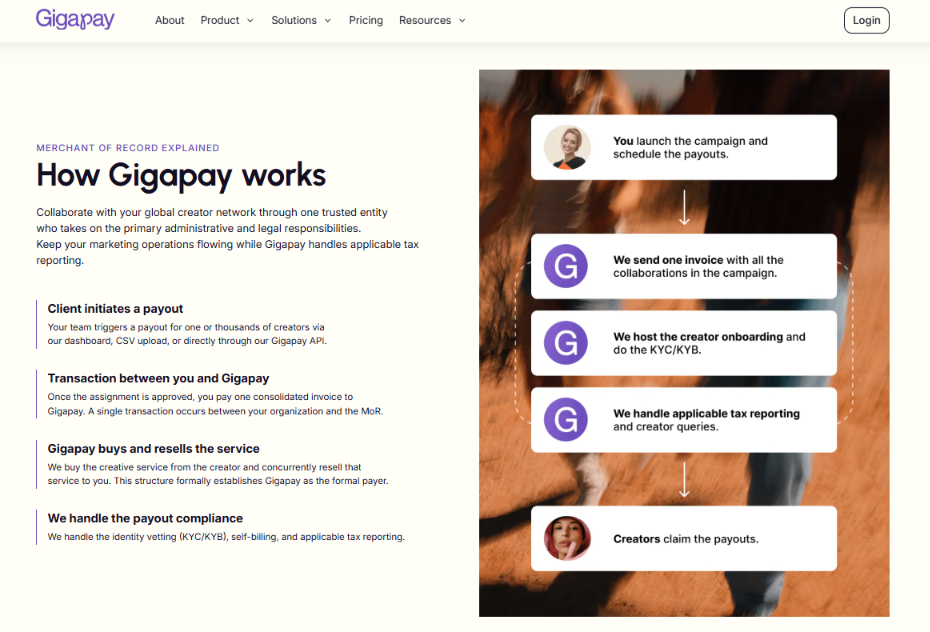
Gigapay is the Merchant of Record for creator payments.
Xero, Sage and NetSuite all record creator payments well, and each one needs a supplier record, a bill and an approval for every creator you pay directly. With rosters past 100 creators at 44% of UK brands, that structure now costs more in processing and salary time than in fees.
Paying creators through one supplier keeps your ledger, your VAT file and your month-end at the size of one vendor.
Book a demo to see how Gigapay fits into your Xero, Sage or NetSuite process.
Read Next:
- VAT on Influencer Gifting in the UK: The Brand-Side Tax Most Teams Miss (2026)
- HMRC Digital Platform Reporting Rules 2026: What Brands and Agencies Paying Creators Need to Know
- Top 7 Creator Payment Platforms for UK Brands in 2026
FAQs:
1. What is the best way to pay creators through Xero, Sage or NetSuite in 2026?
The best way to pay creators through Xero, Sage or NetSuite in 2026 is to record one Merchant of Record as your supplier. That ranking reflects this guide's 13 November 2026 comparison. Gigapay issues one consolidated invoice per batch or campaign, so your ledger holds one vendor record.
2. Does every creator need a supplier record in Xero, Sage or NetSuite?
Every creator needs a supplier record in Xero, Sage or NetSuite when your business pays them directly. Xero calls it a contact, Sage a supplier and NetSuite a vendor. When a Merchant of Record pays the creators, your system needs one supplier record for that company.
3. Can UK businesses self-bill creators who are not VAT registered?
UK businesses cannot use a VAT self-billing arrangement with creators who are not VAT registered, according to GOV.UK guidance. That guidance says both customer and supplier must be VAT registered and need a self-billing agreement. This is general information, not tax advice.
4. How much does it cost to process a creator invoice in 2026?
The cost to process a creator invoice in 2026 averages $9.90, according to Ardent Partners' 2026 research as summarised by Medius. Top-performing teams pay $2.67 per invoice, and APQC puts the cross-industry median at $6.00.
5. What records does a UK business keep when it pays creators through Gigapay?
A UK business that pays creators through Gigapay keeps Gigapay's invoice, the contract and proof of payment. GOV.UK guidance says VAT records must be kept for at least 6 years. This is general information, not tax advice.